MARKET BRIEF
Top line: The right analysis tool can sharpen your trading edge, here’s a look at platforms that make market reading simple.
So what: Whether you’re new or seasoned, these platforms offer clear charts, strong indicators, and good backtesting (using past data to test a strategy) to help you trade smarter.
Ever wonder if good technical analysis software can truly boost your results? Many traders feel that finding a tool to cut through the market clutter is nearly impossible. In this brief, we review platforms that deliver easy-to-read charts, extensive indicators, and reliable backtesting to support more informed trades. Most even offer free trials along with active communities ready to share insights. Read on to discover which tool might ignite winning trades for you.
Top 5 Best Technical Analysis Software Platforms for Traders
Top line: Our top five picks help you quickly spot trading setups with clear charts and easy backtesting. So what: Whether you're new to trading or a pro, these platforms offer free trials and active communities to guide your analysis.
Traders need straightforward tools that let them see patterns without clutter. We chose these platforms because they offer rich chart libraries, plenty of indicators, and reliable backtesting (testing strategies with historical data). Plus, each comes with a lively community where you can share insights and ideas. Free trials or basic versions make it simple to test them out before you commit.
Below is a table that sums up our top picks, including TradingView, MetaTrader 5, TrendSpider, NinjaTrader, and ProRealTime:
| Software | Key Features | Starting Price | Free Trial |
|---|---|---|---|
| TradingView | Extensive chart library, active community, many indicators | $0 (basic plan) | Yes |
| MetaTrader 5 | Custom indicators, automated trading, robust backtesting | Free download | Yes |
| TrendSpider | AI-driven scanning, dynamic trendlines, automated alerts | $99.51/month | Yes |
| NinjaTrader | Comprehensive analytics, order execution, simulation trading | $0 (basic) | Yes |
| ProRealTime | Advanced charting, real-time data, customizable interface | Free version available | Yes |
Review the table to compare key features, prices, and trial options. This information helps you pick the platform that best fits your technical analysis style.
Key Factors for Choosing Technical Analysis Software

Top line: A solid technical analysis tool lets you quickly test ideas and catch market signals without needing to code.
When you pick a technical analysis system, you want one that handles past price and volume data to give you a sense of future moves. The best tools let you test ideas immediately and send you clear alerts when vital signals appear. Remember, technical analysis zeroes in on price action, unlike fundamental analysis which relies on broader company metrics.
Key points to consider:
- Real-time scanning: The tool should scan market data instantly to spot trade setups.
- Indicator depth: A broad library of technical indicators and oscillators is essential.
- UI flexibility: Look for customizable dashboards and layouts that suit your trading style.
- Automation features: Automated signal alerts and pattern recognition simplify your decision-making.
- Multi-asset support: It should work with stocks, forex, crypto, and more, covering various markets.
- Community support: Active user groups and shared scripts can sharpen your trading strategies.
Bottom line: Compare the advanced features, like real-time scanning and a flexible interface, against the basic charting tools provided by brokers. This helps you choose a platform that meets your current needs and adapts as market conditions and your strategies evolve.
In-Depth Look at Technical Analysis Charting and Indicators
Today’s technical analysis software offers a range of chart features that let traders see multiple data layers at once. These platforms support different timeframes so you can view long-term trends alongside intraday moves, giving you a complete market picture. Custom templates, drawing tools, and dynamic zoom options let you set up charts just how you like them. For example, you might use a daily chart to spot short-term moves while keeping an eye on weekly trends, which can be the difference between catching a breakout and missing it.
Technical indicators add extra insight into market behavior. Moving averages (which smooth out price data) show the overall trend, while the relative strength index (RSI, a gauge for overbought or oversold conditions) helps pinpoint extremes. The MACD (Moving Average Convergence Divergence, a tool for spotting momentum shifts) offers a look at how momentum is changing, and Bollinger Bands highlight volatility by expanding or contracting. These popular tools give traders numerical cues that back up what they see on the charts.
Many systems also include pattern recognition features. These tools can flag formations like head and shoulders or the Shooting Star candlestick pattern. The Shooting Star, identified by a small body and a long upper shadow, often warns of a bearish reversal. By automatically spotting these patterns, the system alerts you as soon as a setup forms, helping you act quickly when market conditions change.
Pricing Models and Free Trials in Technical Analysis Software
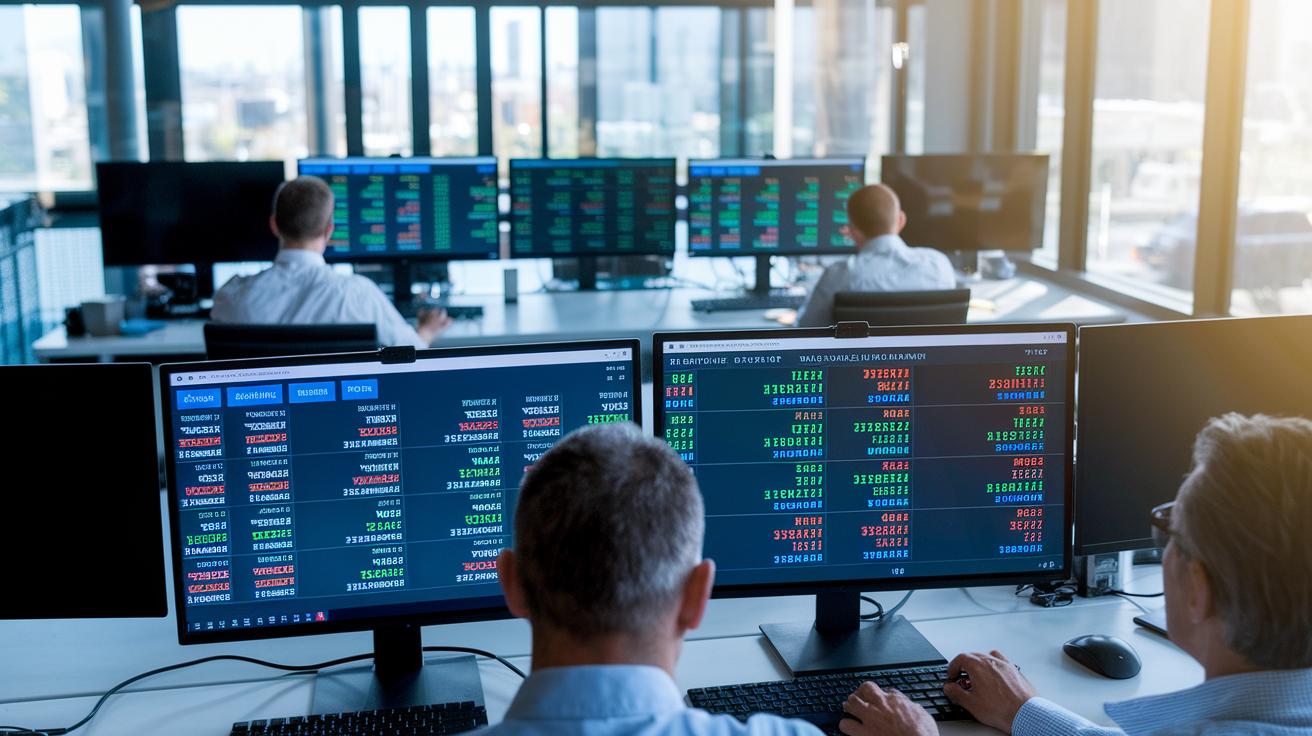
Top line: Many technical analysis platforms now offer flexible plans so traders can pick what fits their style and budget.
Most platforms now come with multiple subscription options. For example, Zen Ratings starts you off with a two-week trial for $1 before switching to a yearly plan of $234. This service uses an AI engine built on decades of data. Trade Ideas charges $89 per month and is built for traders who need dynamic signals. TrendSpider, at $99.51 per month, offers automated scanning and detailed chart analysis. DanelFin brings extra flexibility with plans ranging from $25 to $70 per month, plus a free version for those curious about advanced market analysis. These tiered models let you start small and upgrade as you learn which features give you the best edge.
For those on a tighter budget, there are solid free options too. MetaTrader 5 remains a popular free download for technical analysis, giving you essential features without any cost. Other providers also offer basic versions at no fee, so you can try out tools like charting and signal generation without financial risk before considering a premium subscription.
User Experience and Interface in Technical Analysis Software
Good interface quality is key for spotting market trends quickly. Top platforms use smooth drag-and-drop layouts and flexible dark and light modes so you can work comfortably in any lighting. Custom dashboards let you set up live price feeds and real-time data exactly where you need them. It is like arranging your trading desk so every tool is within easy reach. This design helps speed up your analysis and enables a faster reaction to market moves.
Dashboard tweaks further boost usability. Many platforms offer community-built templates and scripts that fit right into your workflow. These user-friendly tools turn complex data into clear, actionable visuals. A solid market data visualizer is crucial when tracking equities, forex, and crypto; it minimizes clutter and makes important patterns stand out. Easy customization options let you add or remove elements as needed, keeping your trading setup neat and responsive.
In short, a top interface mixes simplicity, flexibility, and strong data visuals to empower fast and confident trading decisions.
Advanced Automation and AI Features in Technical Analysis Software

Top line: AI-driven tools now make spotting chart patterns and trading signals faster and simpler.
Modern platforms now use smart AI tools to identify chart patterns and give clear, fast feedback. For instance, TrendSpider’s AI assistant can spot formations like head and shoulders or the Shooting Star candlestick pattern. This lets you quickly see potential reversals and trend changes without digging through endless data.
Dynamic scanning and alert engines sift through setups across many asset classes. These powerful tools scan stocks, forex, and crypto markets to flag setups that meet your preset criteria. When key trend breaks happen, automated alerts notify you right away so you can act on fresh opportunities.
Robust indicator engines also support custom coding and automated backtesting to sharpen your trading ideas. With built-in custom scripts, you can test strategies rapidly and review past market moves without heavy coding. This mix of scripting and automation refines your analysis and helps you make more informed, timely decisions.
Best Technical Analysis Software for Forex and Crypto Traders
For forex traders, technical analysis software offers tools made specifically for the currency market. These platforms deliver clear features such as pivot points and Fibonacci retracements (tools that measure potential reversal levels) to help you find entry and exit zones quickly. They also include pattern trackers that spot common chart patterns, warning you early of potential trend changes. With real-time updates and a simple layout, these tools cut down on guesswork and help you navigate volatile currency moves with confidence.
Crypto traders also benefit from cutting-edge analysis tools that blend expert crypto insights with support for multiple asset classes. These systems bring together on-chain metrics (data from the blockchain), volatility heatmaps, and charts across different time frames, giving you a full picture of the digital market. Whether you’re switching between stocks, forex, or crypto, platforms like Coinigy and TradingView’s crypto module make it easy to spot opportunities. By combining crypto-specific analytics with a broad market view, these tools help you make smarter trading decisions across various assets.
Final Words
In the action, we reviewed top picks based on rigorous criteria, comparing key features, pricing tiers, free trials, and user interface strengths.
Each section broke down aspects like advanced charting, automated analysis, and niche tools for forex and crypto. We covered technical indicators, chart customization, and real‑time scanning to support decisive trading moves.
These insights aim to equip traders with practical tools and trade-ready ideas. Use the best technical analysis software to stay ahead.
FAQ
Q: What are some free technical analysis software options available?
A: The best free technical analysis software includes options like MetaTrader 5, which is available as a free download, and platforms with built-in buy/sell signals that let you explore features without initial costs.
Q: Which technical analysis software is best for beginners?
A: The ideal technical analysis software for beginners offers user-friendly charts, a clear indicator library, and free trials. TradingView is a popular choice due to its intuitive design and supportive community.
Q: Which tool is best for technical analysis?
A: The best technical analysis tool depends on your trading style. Many traders lean toward TradingView for its comprehensive charting capabilities and active community that shares ideas and insights.
Q: Can you make $1000 a day with day trading?
A: Making $1000 a day with day trading is possible for some, but it depends on factors like skill level, sufficient capital, and market conditions, and it remains challenging for most traders.
Q: What is the 7% rule in stock trading?
A: The 7% rule in stock trading is a risk management guideline where traders aim to limit their losses to around 7% of a single trade’s value, thereby helping manage downside risk.
Q: Can ChatGPT analyze stocks?
A: ChatGPT can provide general information and historical data on stocks but does not offer real-time market analysis or personalized trading signals.
Q: How do ProRealTime, TradingView, and MetaTrader compare for technical analysis?
A: ProRealTime offers advanced charting tools, TradingView is known for its active user community and rich indicator library, and MetaTrader provides extensive trading tools, making each a strong choice based on your specific needs.